Sizes, colours, seasons: one item, every variant.
Each variant has its own barcode and its own stock. Returns are processed from the original receipt, and your online shop keeps up.
What gets in the way, and how the ZP Suite answers it.
T-shirt MBlue
3T-shirt LBlue
1T-shirt MWhite
4Sizes and colours complicate stock
Each variant has its own barcode and its own stock. The till sells the right one, and stock moves with it.
Catalogue importedAutumn collection
Collections change every season
Items are sorted by season, family and brand, and the catalogue imports from an Excel file.
- Exchange2
Shirt M
Return1 ×CHF -79.00
Shirt L
1 ×CHF 79.00
TotalCHF 0.00
PayCHF 0.00Returns and exchanges take time
The original receipt is recalled at the till, the item goes back into stock, and the customer leaves with a credit note or an exchange.
- Cart2
Dress
1 ×CHF 89.00
5 % voucher
Loyalty1 ×CHF -4.45
TotalCHF 84.55
PayCHF 84.55Customers do not come back often enough
Points, a loyalty pot, gift cards and gift receipts: loyalty lives inside the till.
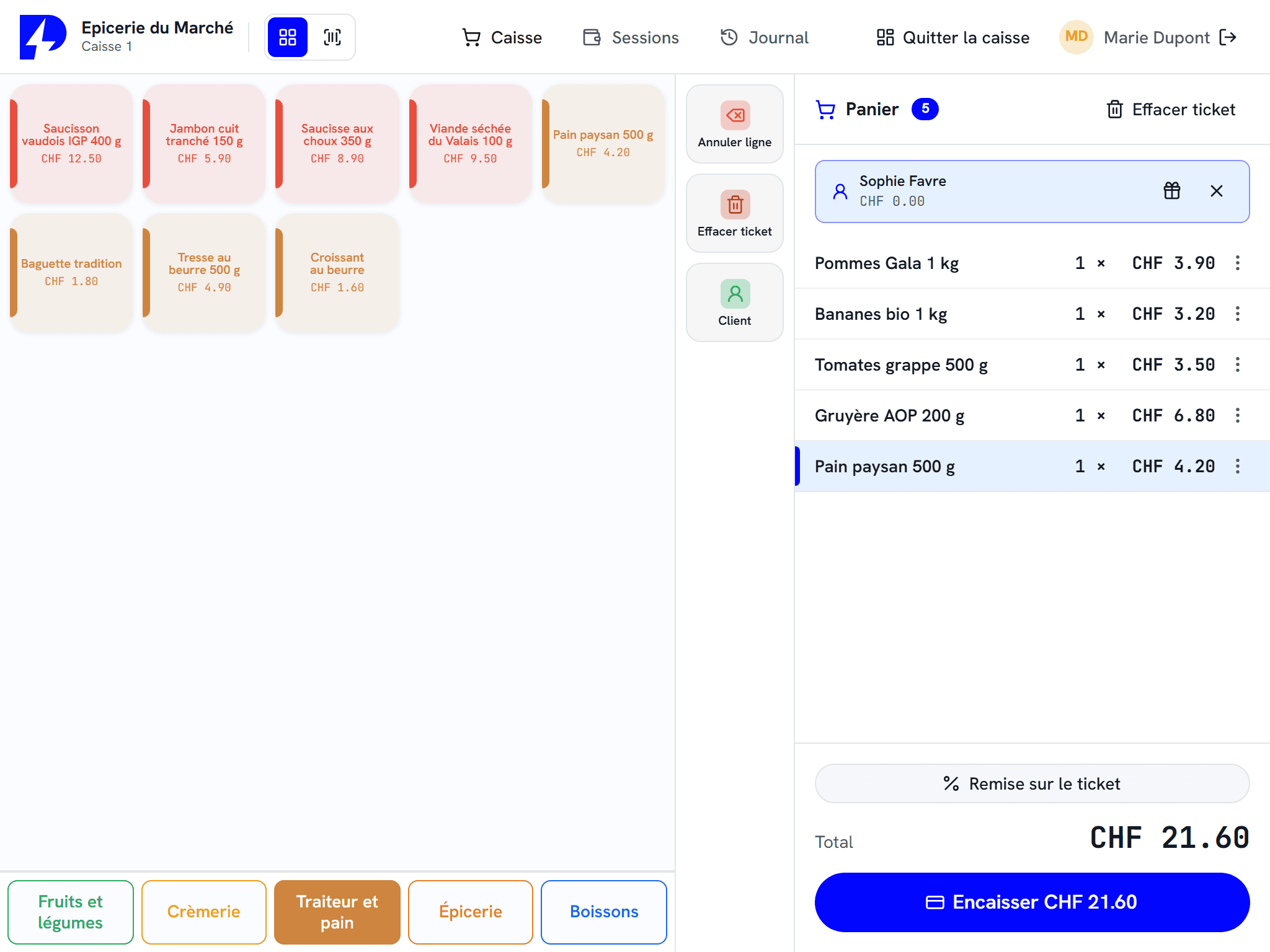
Your keys, laid out like your shop.
Items are arranged in screens and tabs, each with its own colour and icon, or with the product photo. The sales assistant finds the croissant without searching, and so does the Saturday stand-in.
Colours, icons or photosEach key gets a colour, an icon or the item's photo.
Variants in one tapSize or colour: the till asks for the variant, and the stock of the right variant moves.
Back to the first screenThe till can return to the start screen after each sale.
Deliveries are entered as they arrive.
At goods receiving, staff scan each item on the delivery note and adjust the quantity, by unit or by case. The delivery is saved, then validated to enter stock.
By unit or by caseThe quantity is entered in the unit that arrives at the door.
Purchase price per lineAuthorised staff record the purchase price at the same time.
Unknown code linkedA new barcode is linked to the existing item, on the spot.
DN 4412Aligro
OnlineOvomaltine powder 500 g
12Evian 1.5 l
4 casesMint syrup 1 l
6Validation needs the network.
Scan to count
Lifetime licence
You buy your till once, with no subscription. Remote management (live figures, catalogue and reports from a browser) is available as an option with a POZTEK Cloud subscription.
Switching tills?
Your catalogue carried over
Your items import from an Excel file: no retyping.
Installed and explained on site
A reseller in your region installs the hardware and trains your team.
Your Shopify store connected
The catalogue, prices and stock are synchronised with your online store.
Your hardware may already be compatible
Worldline, Nexi, Paytec and Wallee / PostFinance terminals: your reseller checks what you already have.
Worth reading before you choose
Self-checkout in a grocery store or farm shop
Scanning, items sold by weight, cash, a dedicated kiosk or the counter till: how to choose a self-checkout for a grocery store or a farm shop.
5 min read
Lifetime licence or subscription: the real five-year cost of a POS system
Lifetime licence or subscription: a clear calculation using ZP Suite's public prices in CHF excl. VAT, compared with subscription assumptions over five years.
5 min read
Choosing a POS system for your shop: the eight-point check-list
Barcodes, variants, scales, labels, stock, returns, loyalty, Shopify: eight points to check before choosing the POS system for your shop.
5 min read
Frequently asked questions
How are variants managed?
Can we issue a gift receipt?
Does the ZP Suite work with Shopify?
How does a return or exchange work?
How does loyalty work?
Who installs the till and trains the team?
What about a small boutique?
Let us look at the setup for your establishment.
An authorised reseller in your region presents the setup suited to your business, then installs it and trains your team.