Every item entered once, tracked all the way to the receipt.
From delivery to checkout, ZP POS and ZP Stock share the same catalogue: barcodes, variants, prices, labels and stock stay accurate, in the shop as much as online.
What the till does for your shop.
Barcodes and variants
EAN and internal codes, sizes and colours: the till sells the right variant and its stock moves with it.
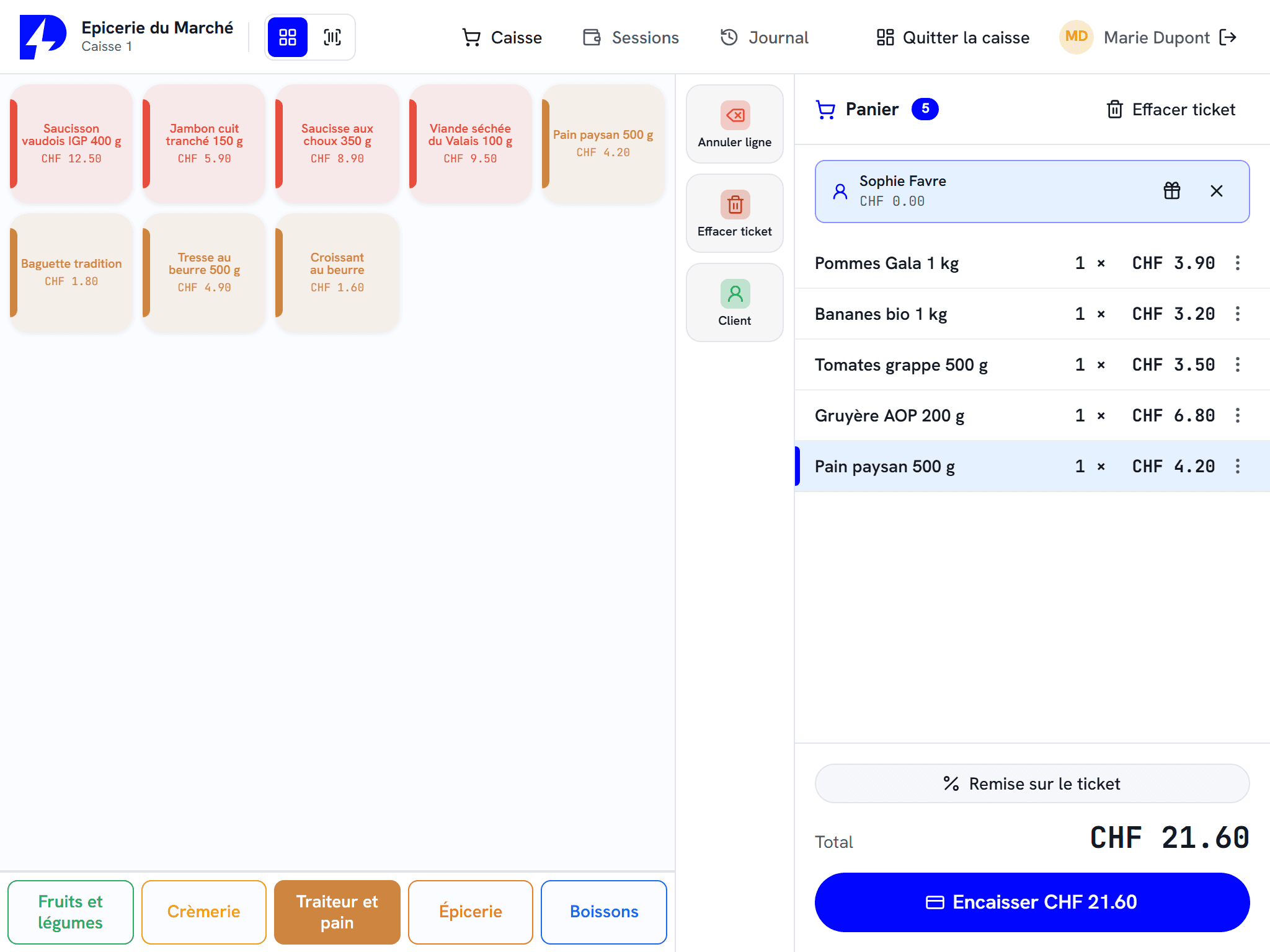
Scale connected to the till
Weighed items go through without retyping anything: the till reads the weight from the scale and recognises weight/price labels.
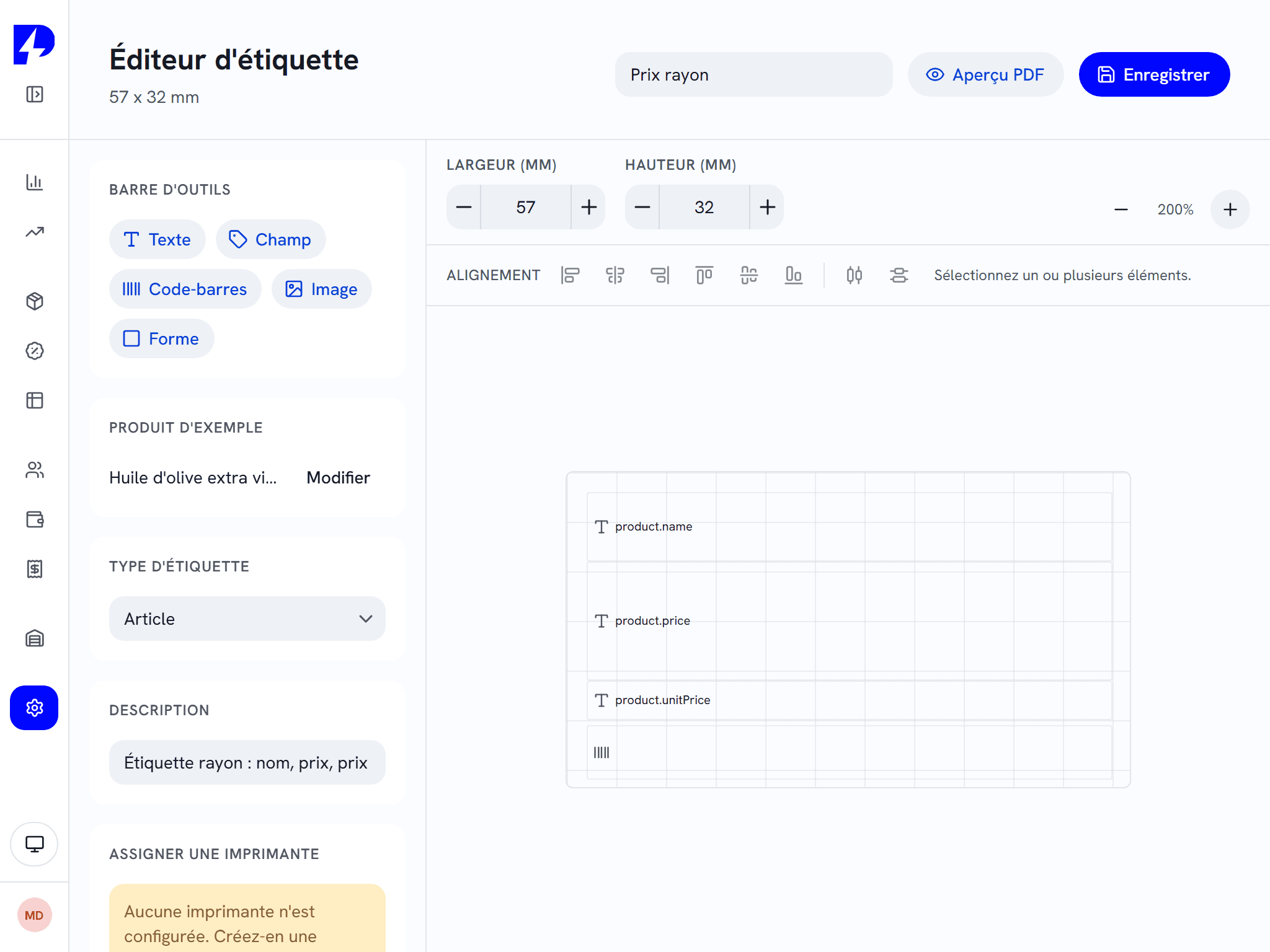
Labels in your own style
A graphic editor for your price labels and shelf signage, printed on Zebra, Brother or A4 sheets.
Stock on a handheld terminal
Deliveries, dispatches, stocktakes and label lists are done on the shelf with ZP Stock, and feed back to the till.
Returns and exchanges
Item-by-item returns from the original receipt, a credit note if needed, and the item goes back into stock.
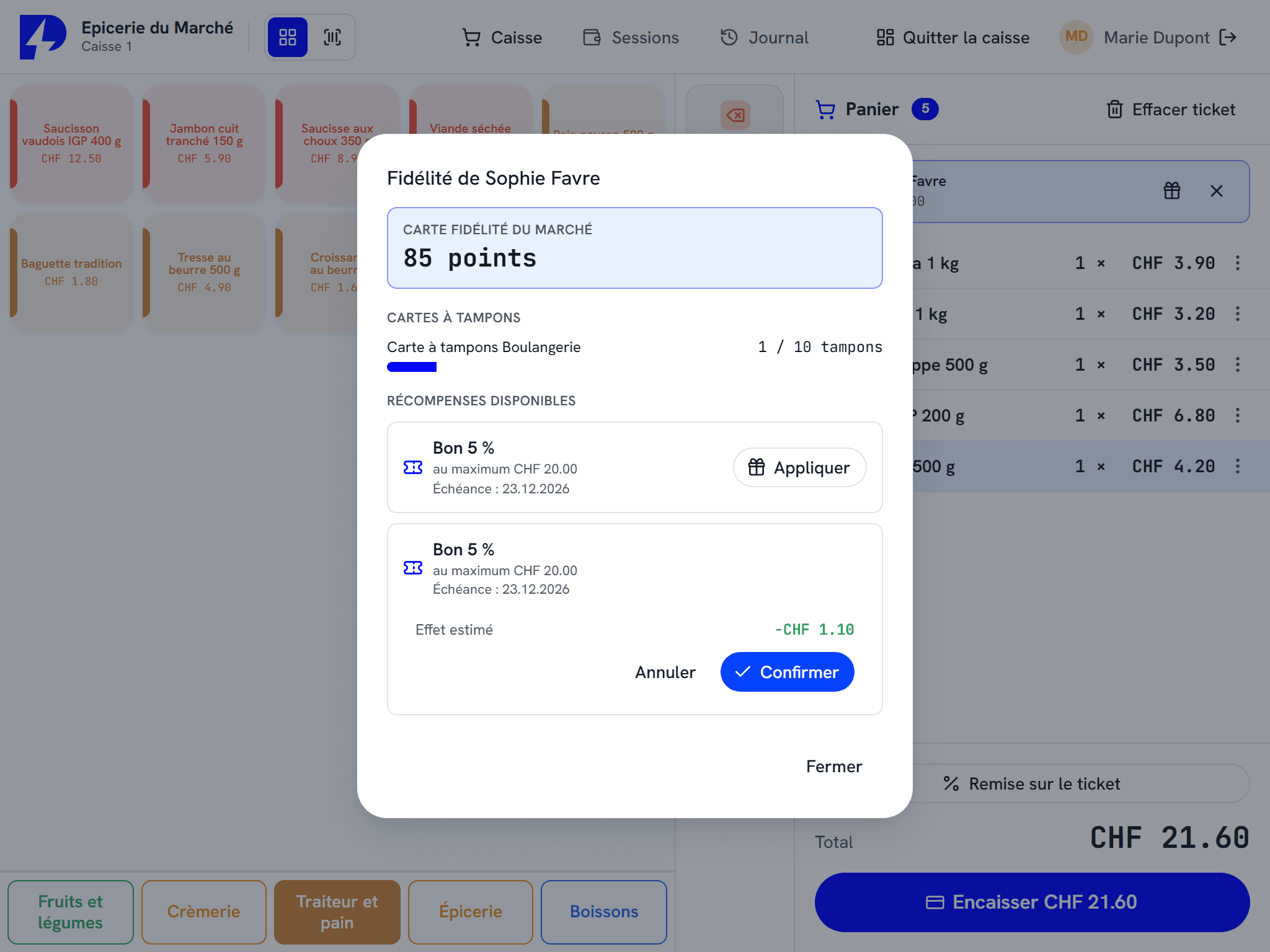
Loyalty and gift cards
Points, a loyalty pot, stamp cards, gift cards and gift receipts: your customers come back.
A grocery shop on ZP POS V3.
Your shop, your setup.
Every trade has its own way of working. Here is how the ZP Suite adapts to it.

Grocery and convenience store
Fast scanning, promotions, markdowns on short-dated stock, weighed fruit and vegetables, and a self-service kiosk for small baskets.

Fashion and boutiques
Size and colour variants, labels, returns and exchanges, loyalty and gift receipts, with your Shopify store.

Home, gifts and leisure
Catalogue imported from Excel, labels and shelf signage, promotions, CHF and EUR, stock tracked on a handheld terminal.
The shop's modules
ZP POS at the counter, ZP Stock in the storeroom, the kiosk for small baskets: everything shares the same catalogue.
The Windows touchscreen till at the heart of the suite, from shop to restaurant.
The customer orders and pays on their own. The queue moves.
Deliveries, dispatches, stocktakes and labels, from a handheld terminal.
Compatible payments and hardware : Worldline, Nexi, Paytec, Wallee / PostFinance, Cima, Cashmatic, Shopify
Frequently asked questions
Does the till handle items with variants?
Can we sell by weight?
Can we take over our catalogue?
Does the ZP Suite work with Shopify?
What about a small boutique?
Let us look at the setup for your shop.
An authorised reseller in your region presents the ZP Suite with your own items, then installs it and trains your team.