One till for the counter, the shop floor and the dining room.
Barcodes and scales at the counter, table service and kitchen in the dining room: everything connects to the same till, on as many tills as needed. Even when the internet goes down.
ZP POS
The Windows touchscreen till at the heart of the suite, from shop to restaurant.
- Runs on
- Windows
The heart of the suite: every module plugs into it.
From CHF 590.- excl. VAT per till, lifetime licence. See all prices
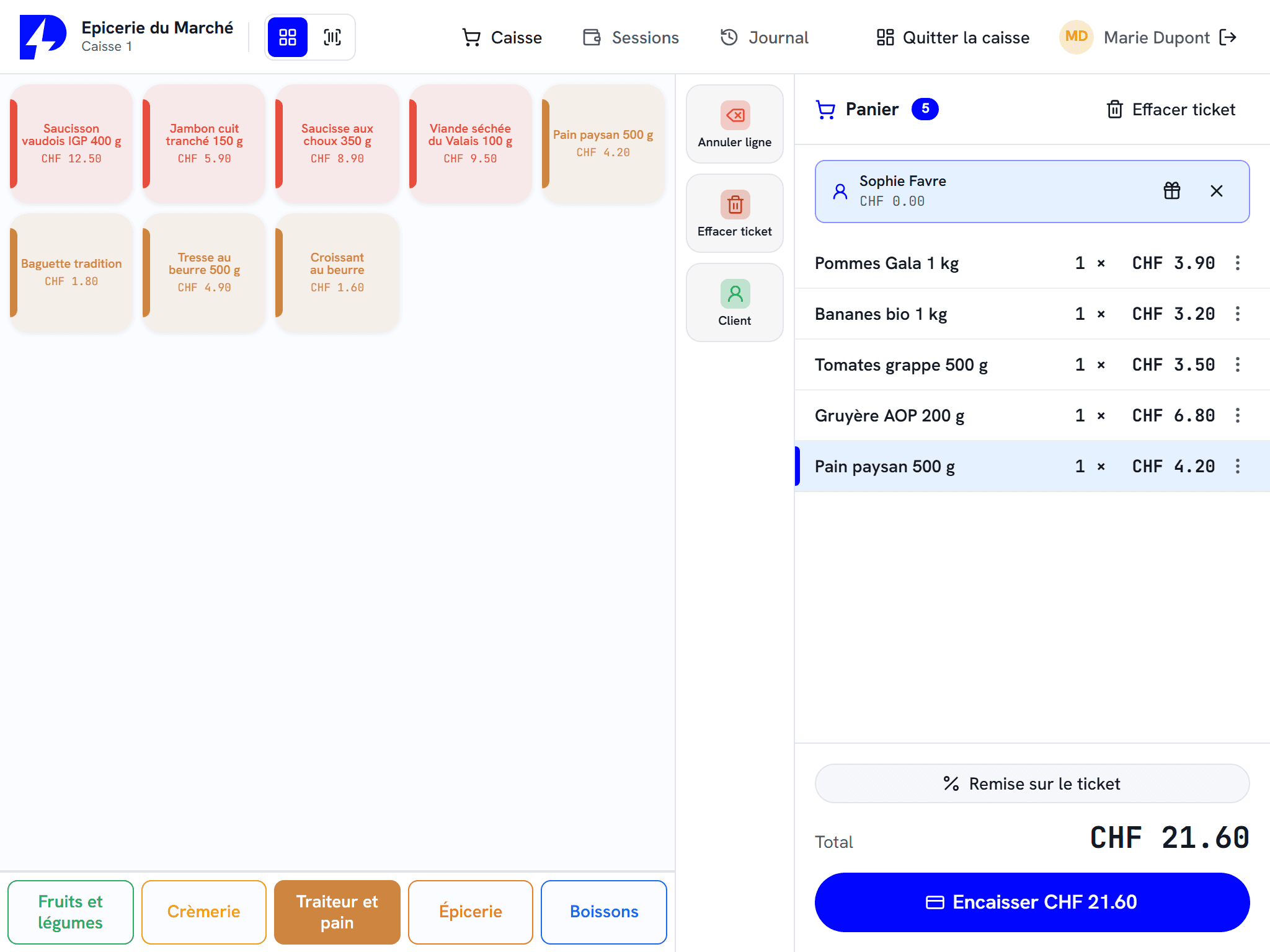
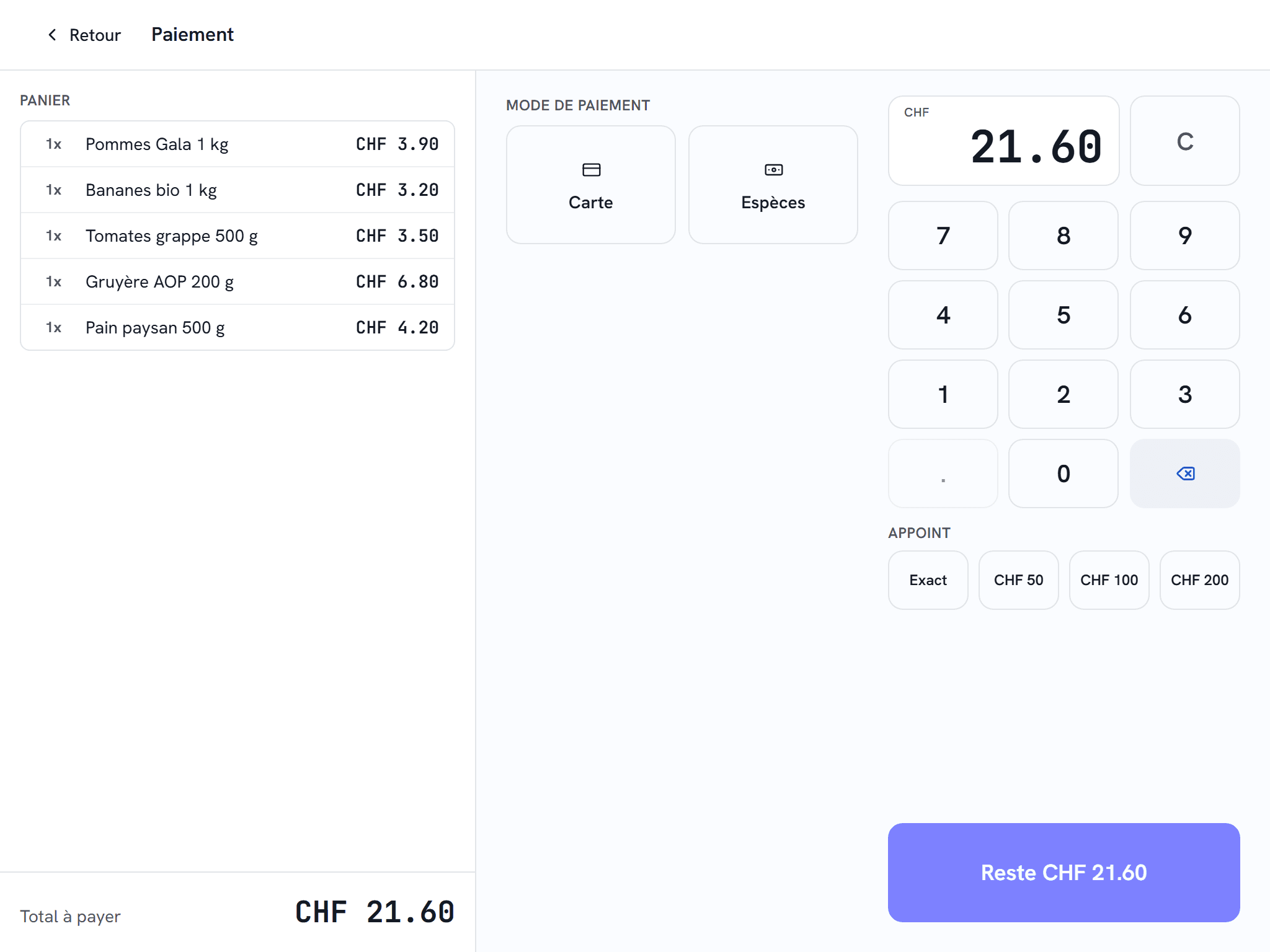
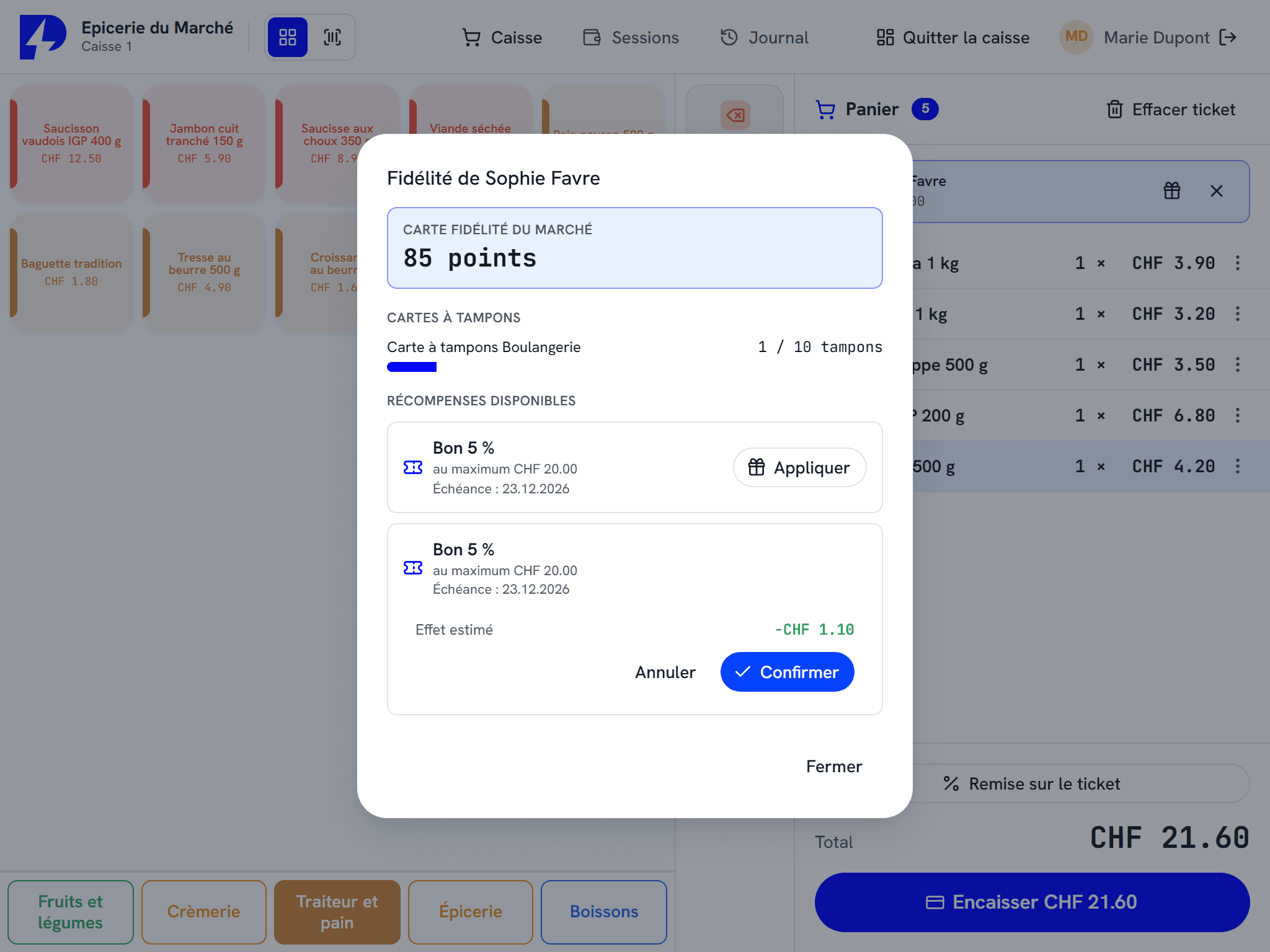
ZP POS V3 on screen
What ZP POS does
Barcodes and scales
EAN scanning, size and colour variants, items weighed on the scale connected to the till.
Table service
Tables, shared bills, transfers and bill splitting.
Integrated payments
The amount goes to the terminal or the cash recycler, no one types it in again.
Swiss VAT compliant
Multiple tax rates, tamper-proof journal, clean accounting exports.
Works offline
The till takes payment without a connection, synchronisation resumes on its own.
Unlimited tills
Counter, pass, bar, stands: as many tills as your establishment needs.
One till, a whole establishment
ZP POS is the till at the centre of the ZP Suite. It runs on a Windows touchscreen till, with a thermal printer for receipts, and you install as many tills as your establishment needs: at a shop counter, at the pass, at the bar, or on each stand at an event.
Every module plugs into it. Orders taken on ZP mobileOrder or at ZP selfCheckout kiosks arrive in the same till, with the same catalogue and the same prices. In the kitchen, ZP kDisplay receives tickets at the right station. In the storeroom, ZP Stock works on the same items.
From the counter to the kitchen, without re-entering anything
An order is entered only once, wherever it is taken: at the till, at the table or at a kiosk. It goes to the kitchen, then comes back on the bill. At the moment of payment, the amount is sent to the payment terminal or the cash recycler. No one types it in again, and there is no discrepancy to look for at the end of the day.
In the dining room, each table keeps its own bill. Bills can be shared between servers, and a bill is transferred or split in a few taps.
At a shop counter
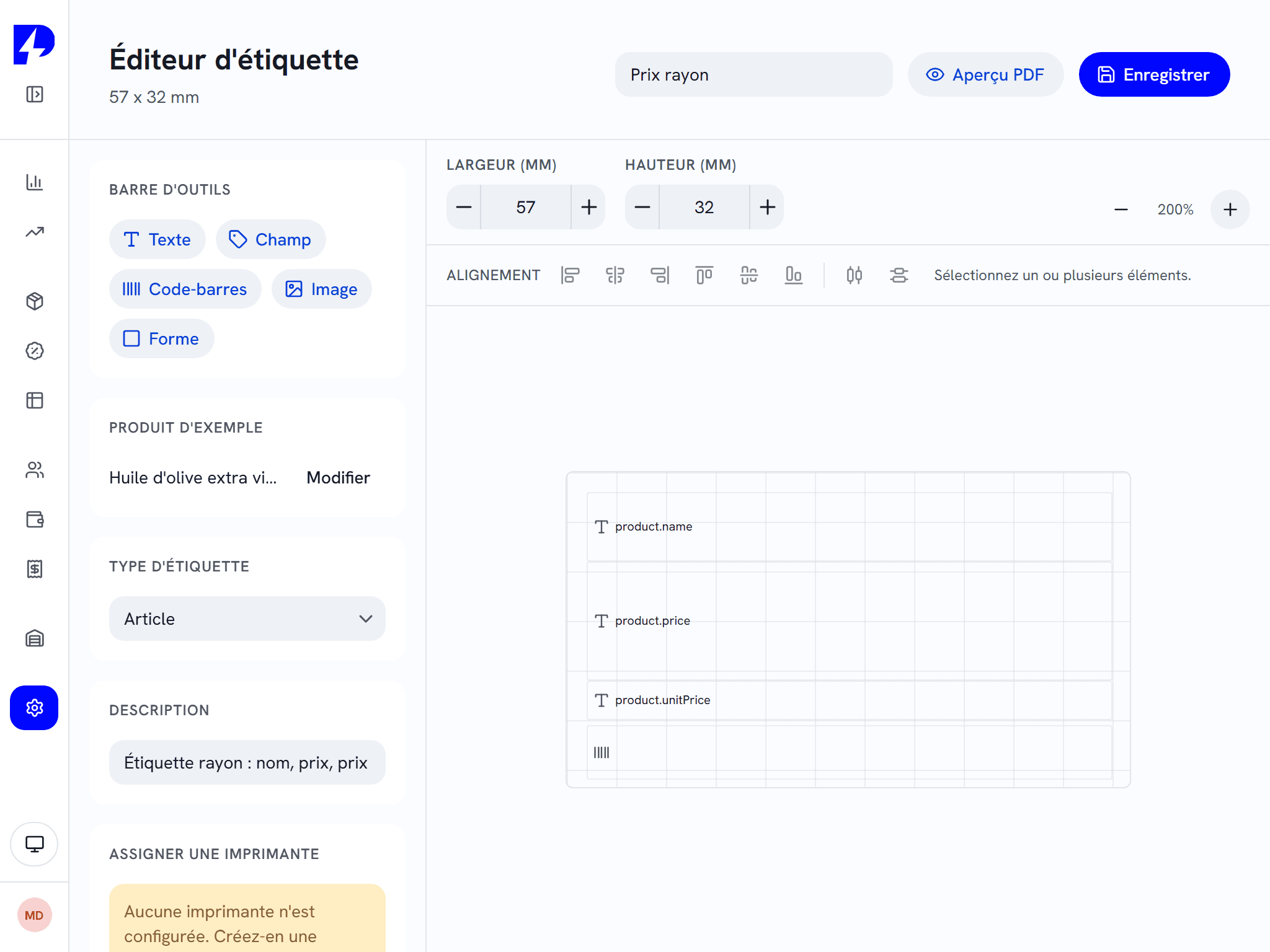
In a shop, ZP POS reads barcodes, sells the correct size or colour variant and reads the weight from the scale connected to the till. Labels are designed in a graphic editor, returns are processed from the original receipt, and stock follows every sale.
When the internet goes down
Each till takes payment locally. If the connection drops in the middle of service, the till keeps working. Synchronisation resumes on its own once the network is back. Only cloud features, such as remote management, need a connection.
Ready for a tax audit
ZP POS handles Swiss VAT rates and keeps a tamper-proof sales journal. Accounting exports are sent cleanly to your accountant.
Works with
The kitchen display that replaces paper tickets.
The order taken at the table goes straight to the kitchen.
The customer orders and pays on their own. The queue moves.
Deliveries, dispatches, stocktakes and labels, from a handheld terminal.
Frequently asked questions
Does ZP POS work without the internet?
What hardware does ZP POS run on?
How many tills can be connected?
Which payment terminals are compatible?
Let us see what ZP POS changes in your establishment.
An authorised reseller in your region presents the ZP Suite, installs it and trains your team.