Everything the ZP Suite does.
From the counter to the kitchen, from the shelf to head office: browse the features by theme, or keep only those for your trade. 93 features, 12 themes.
Checkout
The counter, from the first item to the receipt.
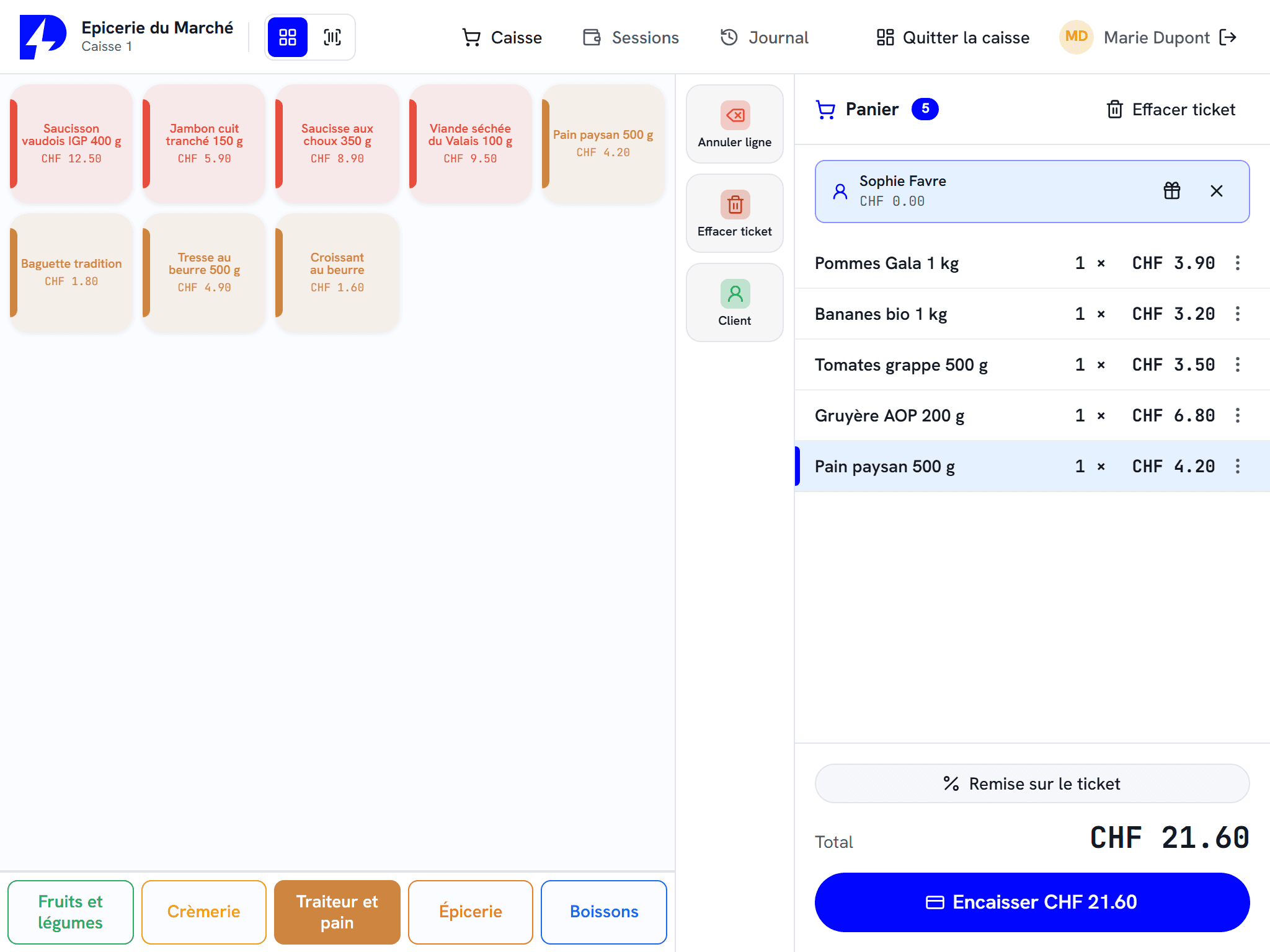
A till keyboard to suit you
Screens, tabs, colours and keys spanning several cells: the keyboard is laid out like your counter, one per till if needed.
Scan from anywhere
The barcode is read across the whole sales screen, and a failed scan beeps so nothing goes unnoticed.
Put a receipt on hold
The customer forgot their bread? The receipt waits with a numbered slip while the till serves the next person.
Several sellers, one receipt each
In a butcher's, bakery or deli, each seller has their own receipt and picks it up with one gesture, on the same till or from another till in the shop.
Split payments
A receipt can be settled in several instalments and by several means: cash, card, voucher, prepaid card.
Payment in euros
The customer pays in euros, the till gives change in francs at the day's rate, rounded to 5 centimes and printed on the receipt.
Quick payment
One key takes the exact amount in cash or by card, without going through the payment screen.
Open price and free item
An item with a free price is entered at the till, and a goodwill gesture goes through as a tracked free item.
Returns, credit notes and refunds
The receipt barcode recalls the original sale, the item goes back into stock and the customer leaves with their money or a credit note.
Gift receipt
The receipt is reprinted without prices, to go with a gift and make exchanges easier.
Change the payment method afterwards
Took cash instead of the card? The method is corrected on the receipt, with permission.
Custom receipt header and footer
Logo, address, message of the day: the receipt carries your identity.
Payment and hardware
The till talks to your terminal, your scale and your cash recycler.
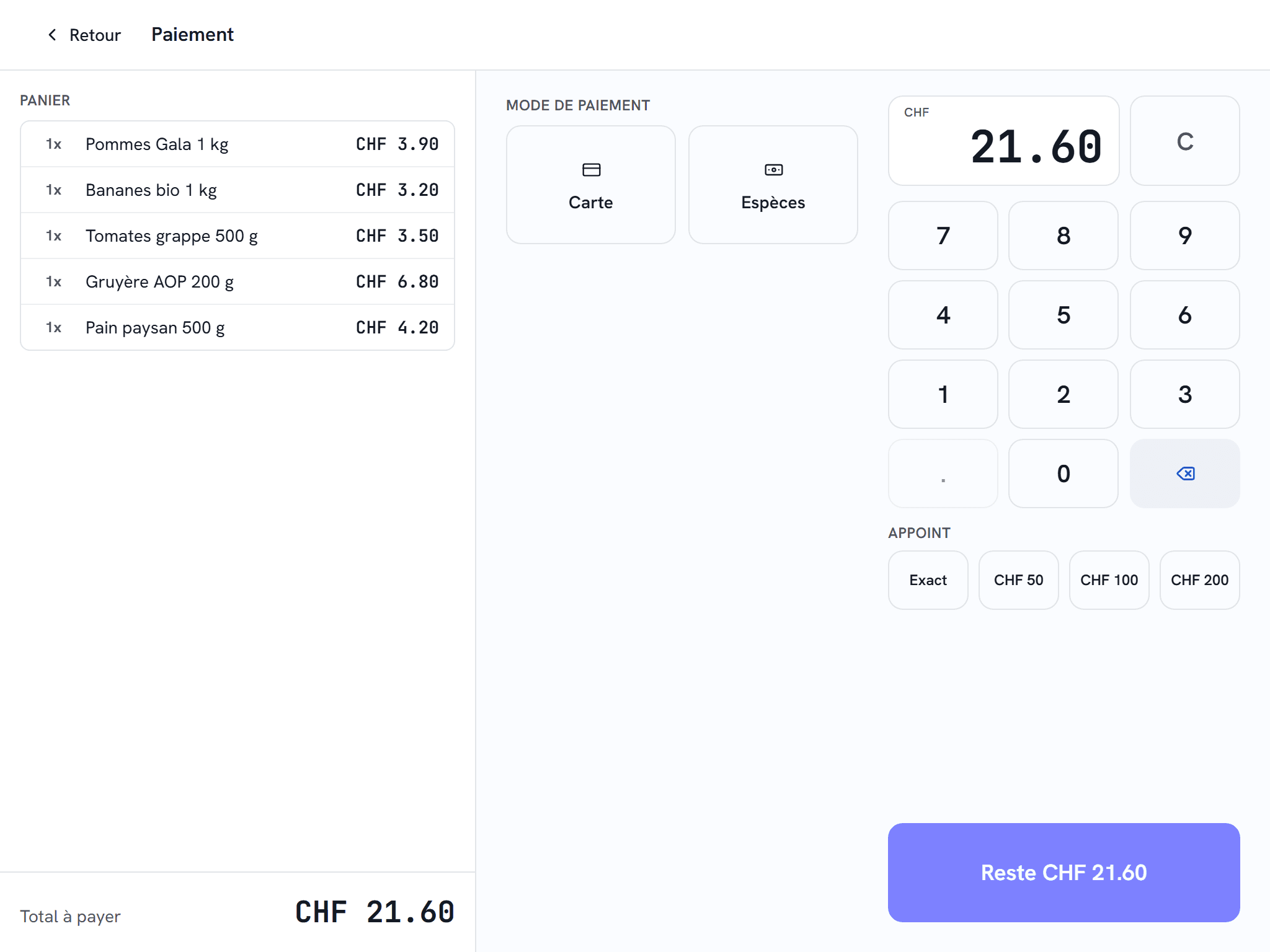
Integrated payment terminal
The till sends the amount to the Worldline, Nexi, Wallee / PostFinance or Paytec terminal: no double entry, no amount errors.
Tip on the terminal
The customer adds their tip on the Worldline terminal, linked to the server and the receipt.
Automatic cash recycler
Cashmatic or Cima takes the cash and gives change, at the counter as at the kiosk.
Automatic weighing
An item sold by the kilo is weighed with one tap: the scale answers, the weight lands in the receipt.
Price-weight labels
Scale labels are read on scan, by weight or by price.
Badge readers
NFC, RFID or Dallas key: a badge identifies an employee, a customer or a rechargeable card when placed on the reader.
Customer display
The customer follows their receipt on the display, LCD or VFD.
Touchscreen, no keyboard
Built-in touch keyboard, full screen, minimise and close by finger: the till is operated entirely by touch.
Catalogue, prices and promotions
Your items and your prices, kept in one place.
A complete catalogue
Families, subfamilies, brands, seasons and several barcodes per item.
Size and colour variants
An item comes in sizes and colours, each variant with its own barcode.
Fashion and boutiquesVariantsExcel import and export
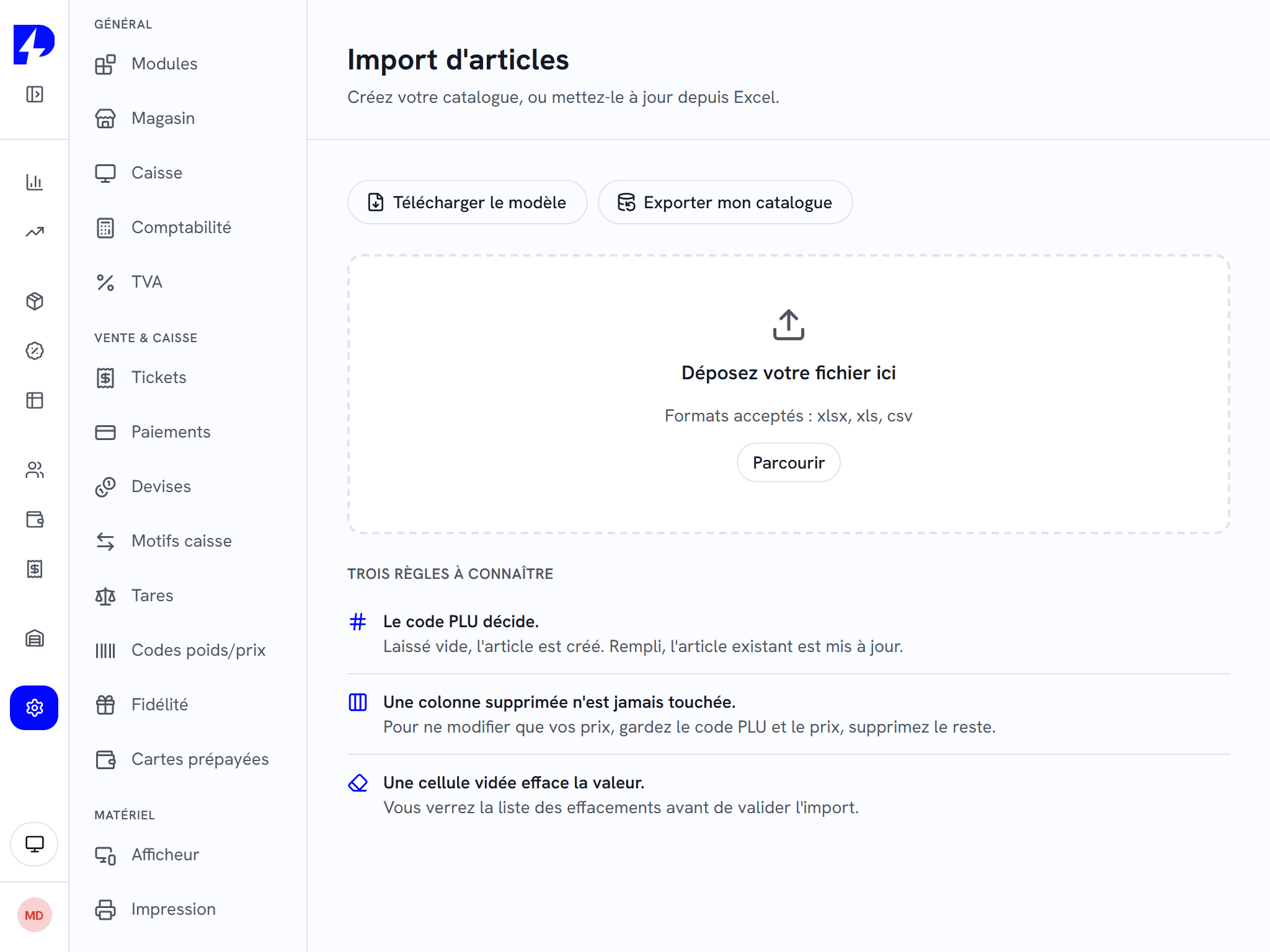
The catalogue goes out to a workbook, is edited and comes back: prices, keyboards, options, in a single round trip.
Several price lists
Reseller price, member price, evening price: the price list is chosen with a key or follows the customer record.
Scheduled prices
A price change is scheduled for a date: the till switches by itself.
Automatic promotions
3 for 2, second at half price, mixed bundles: the promotion applies by itself in the basket.
Customer discounts and preset discounts
Discount per customer or group, ready-made discounts at the till, with a cap per shop.
Customers & loyaltyTurn into a meal deal
The till spots that a burger, fries and a drink make a cheaper meal deal, and suggests it.
Item availability
A dish that has run out switches off on all tills, the floor device and the kiosk. A service counter limits portions.
Age check
Alcohol and tobacco prompt an age check at the till and at the kiosk.
Labels and shelf
Accurate labels, printed from the till.
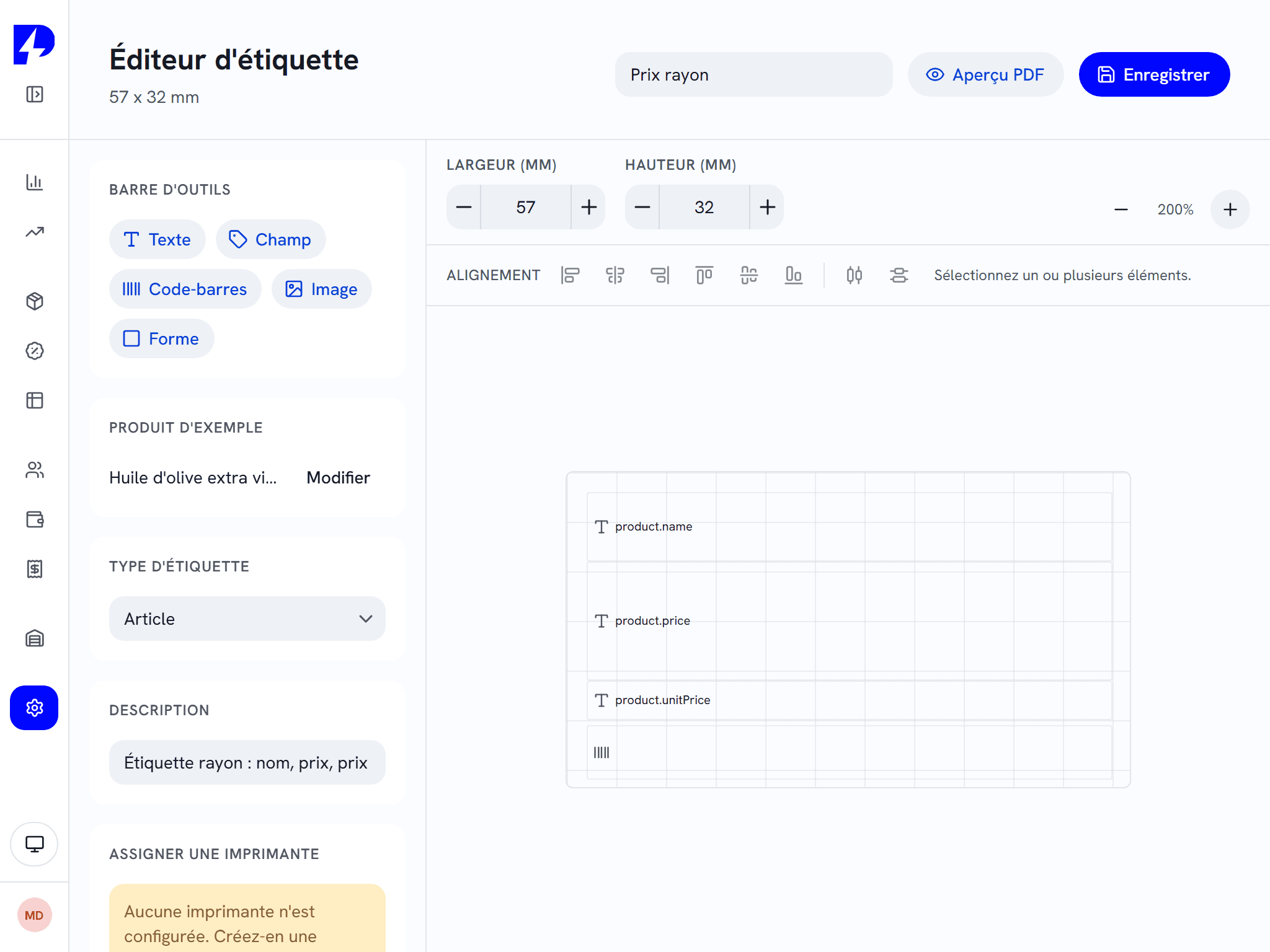
Label editor
A label is designed with the mouse: texts, prices, barcodes, logo, alignment.
Stock & labellingZebra, Brother and A4 sheets
Labels print on a Zebra or Brother printer, or on office A4 sheets.
Stock & labellingPrice per kilo and per litre
The unit price (per kg, per 100 g, per litre) is calculated automatically on the label.
Grocery and convenience storeStock & labellingMarkdown labels
Yoghurt one day from its date gets its label at minus 50%, read at the till at the right price.
Grocery and convenience storeStock & labellingLabels in two languages
The description prints in a second language beneath the French.
Stock & labellingLabelling lists from the shelf
With ZP Stock, you scan the items to relabel on the shelf, and the list goes to print.
Hospitality: dining room and kitchen
From the table to the kitchen, with no lost ticket.
Floor plan
Your rooms and tables laid out, with their status at the till; a table moves with a drag.
Order taking in the dining room
The server orders, sends to the kitchen and takes payment at the table from their device.
Options, meal deals and ingredient removals
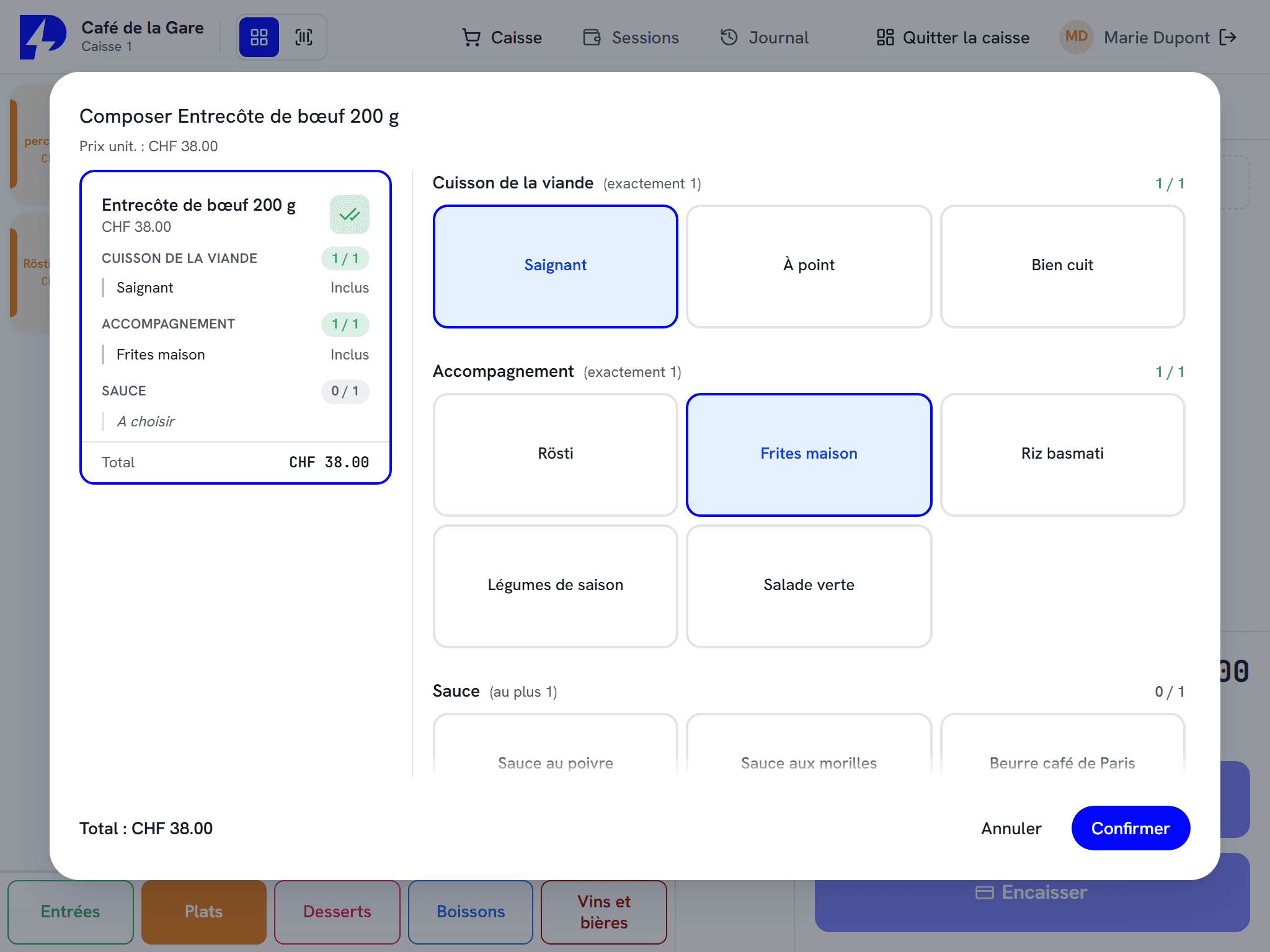
Cooking level, side, "no onions": each dish is composed one portion at a time.
Courses (starter, main, dessert)
Each line carries its course, and the kitchen receives the call at the right moment.
Production tickets per station
Bar, hot kitchen, pizza: each station receives its ticket, with secondary centres if needed.
Kitchen screen
Orders appear on a screen in the kitchen instead of being printed.
Note for the kitchen
"Well done", "no salt": one note per line, printed beneath the dish.
Cancellation announced in the kitchen
A line removed after sending comes out on a CANCELLED ticket, so the kitchen does not prepare it for nothing.
Split the bill
The bill is settled share by share, per person or per item, each share with its own receipt.
Table transfer and merge
A table changes place or joins another, and the kitchen is told.
Eat in or take away, the right VAT
The consumption mode applies 8.1% or 2.6% and the matching price, line by line.
Bill and "Meals and drinks" receipt
The bill prints before payment, the expense-claim receipt after.
Allergens
The 14 allergens are declared per item, and the customer can check them at the kiosk.
Self-service kiosk
The customer orders or scans, then pays alone.
Self-service checkout in the shop
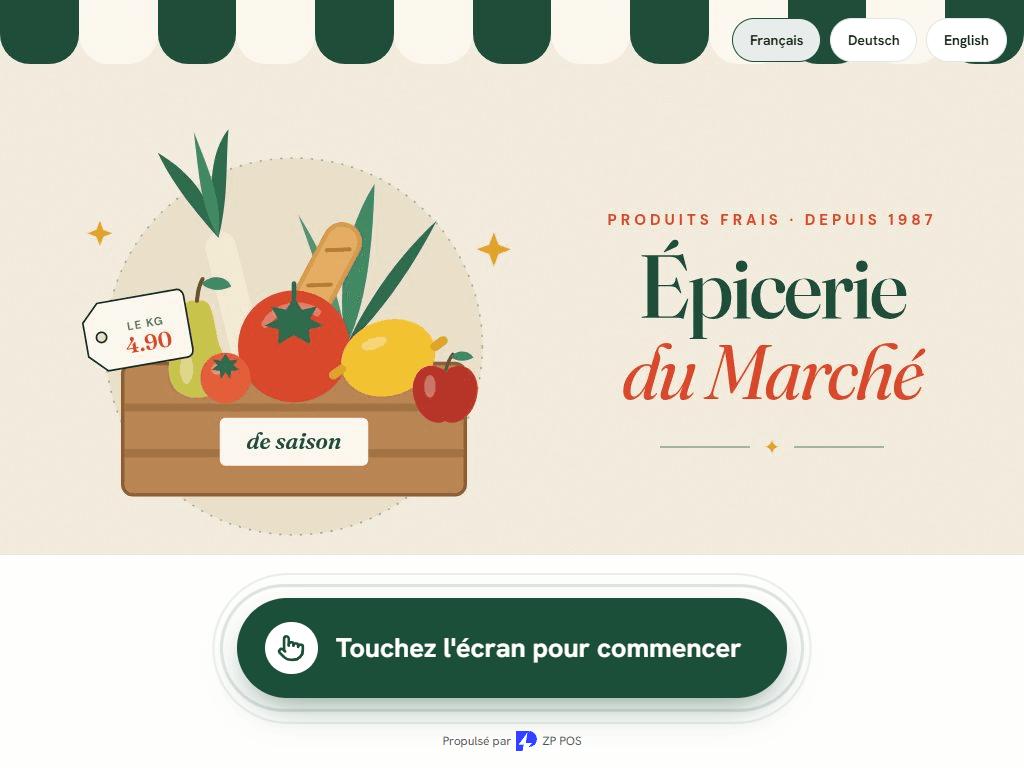
The customer scans, weighs and pays alone.
Ordering kiosk at the fast-food
The customer builds their meal, pays, and the order goes to the kitchen.
The till becomes a kiosk
At lunchtime, the counter till switches to self-service without closing the session.
Payment at the kiosk
Card on the terminal, cash through the cash recycler, or "pay at the till".
Loyalty and top-up at the kiosk
The customer scans their card, picks their reward or tops up their prepaid card.
Supervisor mode
An employee scans their tag to confirm an age or unlock the kiosk.
Opening hours and standby
The kiosk closes outside opening hours, and the standby screen carries your logo.
Pager and call number
The customer enters their pager or leaves with a number, called on the screen.
Customers, loyalty and cards
Your customers recognised, rewarded and invoiced.
Customer file
Search by name, email or phone, customer categories, history.
Customers & loyaltyLoyalty by points, credit or stamps
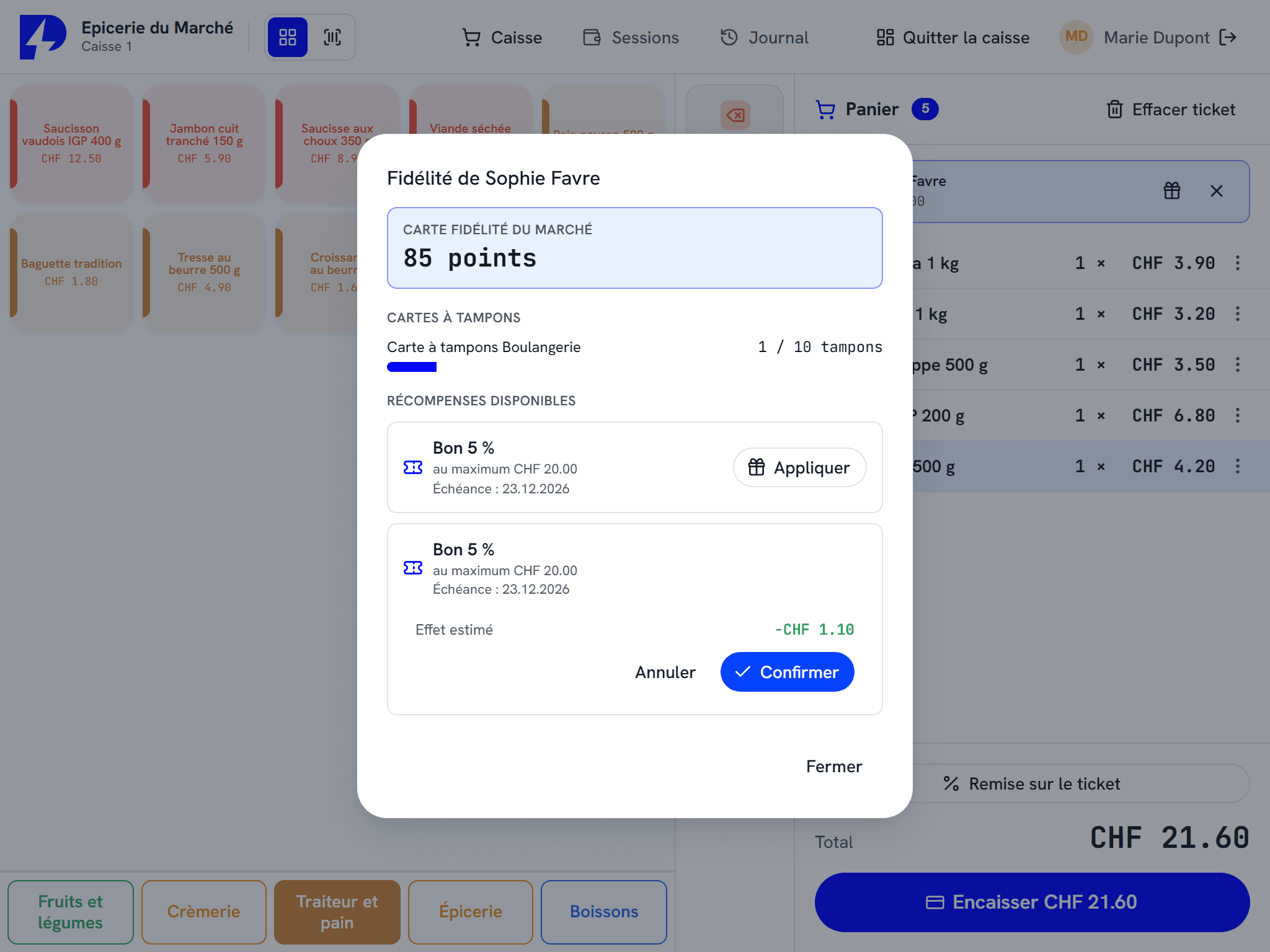
Three mechanics, your choice; the till suggests the reward earned by itself.
Customers & loyaltyGift cards and prepaid cards
Rechargeable cards, gift vouchers sold in batches, top-up bonus.
Customer accounts and invoices
Purchase on account, invoice with Swiss QR-bill, payment collected at the till, account statement.
Customers & loyaltyCustomer card by badge or barcode
Each customer has their own barcode, or uses their own card.
Customers & loyalty
Stock and suppliers
Stock follows every sale and every delivery.
Real-time stock
Every sale, return and variant moves the stock; stock-outs and thresholds show at a glance.
ZP POSStock & labellingSupplier orders
PDF purchase order per supplier, packaging units (cartons, pallets), full supplier record.
ZP POSStock & labellingWeighted average cost
The purchase cost follows each delivery, so the margin is calculated correctly.
ZP POSStock & labellingStocktake on the terminal
With ZP Stock, the stocktake is counted on the shelf and the summary comes out as a PDF.
Goods in and out on the terminal
The delivery is checked by scan, and a transfer between shops is prepared the same way.
Price check on the shelf
ZP Stock reads the item on the shelf: price, stock, information.
Team, permissions and control
Everyone does what they should, and everything is tracked.
Permissions per employee
Permission groups: who can give a discount, process a return, close the day or open the drawer.
Manager approval
A discount over the cap or a refund asks for a manager's badge and PIN, on the spot.
Tracking of removed lines
Every line deleted from a basket is logged, with a report and an alert.
Cancellations with a reason
Every cancellation carries a reason and its author.
Drawer under code
The drawer opens only with an employee's code.
Training mode
A new employee practises on the real till, without skewing turnover.
Closings, reports and VAT
The day closes accurately, and the figures are ready for the accountant.
Z closings
Manual or automatic closing, chosen sections, reprint and PDF or Excel export.
Float and safe
Float, cash movements, deposit in the safe and bank deposit, each with its receipt.
Custom reports
Choose your columns, compare two periods, switch to a chart, by hour or by day of the week.
PDF, Excel and CSV exports
All reports can be exported for the accountant.
Swiss VAT and rounding
VAT per family and per consumption mode, each line rounded to 5 centimes.
Dashboard
My till, shop health, best sellers, from the moment you log in.
Several tills, set-up
Installed once, the till keeps itself up to date.
Several tills, even offline
The tills in a shop share everything over the local network, and keep selling if a link goes down.
Four languages
The interface is set to French, German, Italian or English for the whole till.
Pick-and-choose modules
Switch off what you do not use, and the interface gets lighter.
Backup and restore
A full backup is made and restored as a single file.
Automatic updates
The till updates itself, with a progress bar.
Migration from ZP V2
Items, customers, cards, keyboards and sales history carried over by your reseller.
Several shops, with POZTEK Cloud
Head office sees everything and steers every shop.
Your figures from anywhere
Receipts, sales, closings and stock of each shop viewed from a browser, filterable by till.
Custom reports, for the whole fleet
The till's report builder, at the level of a single shop or the whole organisation.
Head office steers, shops apply
Catalogue, employees, permissions, payment methods and currencies are managed once at head office and pushed down to the tills.
Shared customers and loyalty
A customer finds their points, prepaid card and account in every shop of the group.
Transfers between shops
Goods move from one shop to another, and stock follows on both sides.
Receipt and logo changed remotely
The receipt header, footer and logo are changed from the cloud for all tills.
Sync status, at the till
A green, yellow or red dot shows at the till that everything has been uploaded.
Frequently asked questions
Is the ZP Suite right for my shop or my restaurant?
How much does the ZP Suite cost?
Does the till work without internet?
Can I carry over my data from ZP V2?
Which languages is the till available in?
Let's look at the features for your trade together.
Ask for a demo: we show you the till set up for your shop or your restaurant.